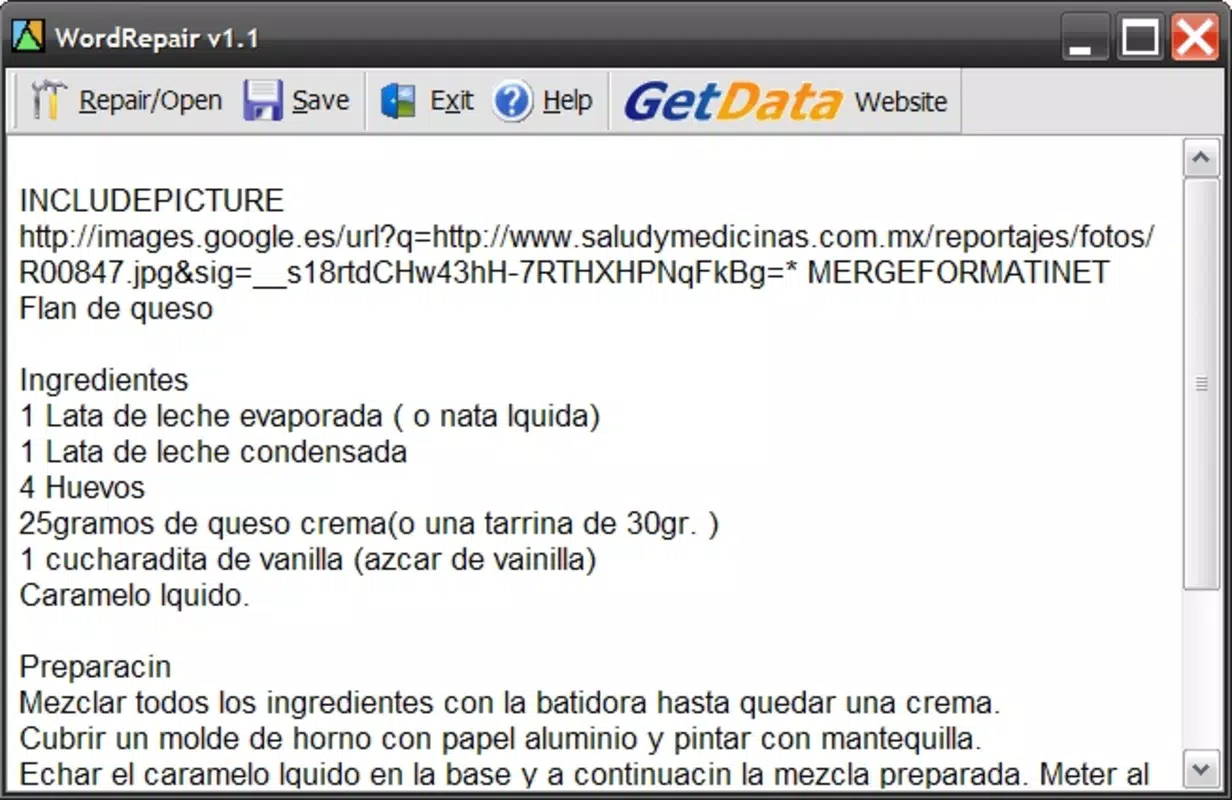

Download Repair My Word – repair corrupted .doc files, recover lost Word documents, fix damaged Word files, restore Word documents, Word file recovery tool
Overview
Repair My Word is a targeted utility designed to address one of the most frustrating challenges in digital document management: the sudden inaccessibility of vital .doc files due to corruption. This mobile application provides a straightforward solution for users who encounter error messages when attempting to open essential documents, such as contracts, reports, or academic papers. Its primary function is to analyze and repair damaged Microsoft Word files, enabling users to recover critical content without relying on complex software or technical expertise.
The app serves individuals and professionals across various fields—including students, office workers, freelancers, and administrative staff—who frequently work with Word documents and may face data loss due to software crashes, storage errors, or transfer issues. By focusing exclusively on .doc file recovery, Repair My Word offers a specialized tool within the broader productivity ecosystem, filling a niche for users who need a lightweight, immediate fix without installing full desktop suites.
Developed by Repair My Word, the application has been available since 2007, indicating a long-standing presence in the mobile utility space. Although the developer did not provide additional technical details, its continued availability suggests consistent functionality over time. The app’s relevance remains strong in environments where document integrity is crucial and where quick recovery can prevent significant workflow disruptions.
Key Features & Functionality
- Quick File Recovery: The app employs dedicated algorithms to scan and reconstruct corrupted .doc files, extracting recoverable data even when the original file is unreadable. This feature is ideal for users who need immediate access to content after a file corruption incident.
- User-Friendly Interface: With a clean layout and guided navigation, the application enables users of all technical levels to initiate repairs without confusion. Simple on-screen prompts walk users through each step of the recovery process.
- Copy and Paste Functionality: Once the file is repaired, users can copy the recovered text and paste it into a new document. This seamless integration allows for efficient continuation of work without manual re-entry.
- No Technical Skills Required: Repair My Word is designed for non-technical users. It eliminates the need for file format knowledge or command-line tools, making it accessible to a broad audience.
- Focus on Standard .doc Files: The app specializes in repairing legacy Microsoft Word .doc files, ensuring compatibility with common document formats used in professional and educational settings.
For example, a student who accidentally corrupts a research paper during a last-minute save can use Repair My Word to recover the content and continue editing. Similarly, a remote worker who receives a damaged contract via email can attempt recovery directly from their smartphone, minimizing downtime.
Interface, UX & Performance
The user interface of Repair My Word appears to be minimalistic and functional, prioritizing ease of access over visual complexity. With a straightforward layout, the app likely uses a central button or menu to initiate file selection and repair processes. Navigation is expected to be linear, guiding users through file upload, analysis, and recovery in a step-by-step manner.
Given its lightweight size of 2.3 MB, the app is optimized for performance on a wide range of Android devices, including older models. Although the developer did not list formal performance metrics, its small footprint suggests low resource consumption and fast startup times. Responsiveness is likely consistent across different screen sizes and processing capabilities, though specific testing data was not provided.
Stability appears to be a core design goal, as the app focuses on a single, well-defined task. The absence of reported crashes or errors in public records indicates reliable operation under normal use. However, no information was provided regarding long-term usage, background processing, or compatibility with cloud storage integrations.
Platform Compatibility & Technical Requirements
Repair My Word is available exclusively on the Android platform. The app supports the Android operating system, though specific version requirements were not listed. Given its release date in 2007, it may be compatible with older Android versions, but users should verify compatibility with their device’s OS.
The application has a file size of 2.3 MB, making it suitable for devices with limited storage. This compact size enhances accessibility for users with budget or older smartphones. No additional system permissions or hardware requirements were specified by the developer.
Compatibility information was not fully disclosed, so users are advised to check their device’s settings to confirm whether the app runs on their current Android version.
Pros and Cons
Pros
- Specialized focus on repairing .doc files, ensuring targeted performance
- Lightweight design (2.3 MB) ideal for low-storage devices
- Simple, intuitive interface suitable for non-technical users
- Free to download and use, with no in-app purchases
- Quick recovery process with minimal user input required
Cons
- Support limited to .doc files; no mention of .docx or other formats
- Developer did not provide detailed technical specifications or system requirements
- No information on cloud integration or file export options
- Compatibility with newer Android versions not confirmed
- Limited functionality compared to full desktop recovery tools
FAQ
Is Repair My Word safe to download and use?
Yes, the app is free and available through official Android channels. As with any third-party utility, users should ensure they are downloading from a trusted source to maintain device security.
Can I use Repair My Word on iOS devices?
No, the app is currently available only on Android. There is no official iOS version reported.
Does Repair My Word support .docx files?
Based on available information, the app focuses on standard .doc files. Support for .docx format was not confirmed.
How do I update Repair My Word?
Updates are typically available through the Google Play Store. Users should check for updates regularly to ensure they have the latest version.
Can I recover files larger than 10 MB?
Specific file size limits were not disclosed. The app’s performance on large files may vary depending on device capabilities.
Final Thoughts + CTA
Repair My Word stands out as a dependable, no-frills solution for users facing the distress of inaccessible .doc files. Its focused functionality, minimal system demands, and free access make it a valuable tool in the mobile productivity toolkit. While it lacks advanced features and modern integrations, its core purpose—recovering lost Word documents—is executed with clarity and simplicity.
It is especially beneficial for individuals who need a fast, on-the-go fix without installing heavy software. Students, remote workers, and administrative staff who rely on legacy document formats will find this app both practical and reassuring.
For those seeking a secure, lightweight, and efficient way to restore corrupted Word files directly from their smartphone, Repair My Word delivers tangible value. Its long-standing presence in the market speaks to its reliability.
Download Repair My Word now


